
Radio edits without the manual scrubbing.
Lyricut transcribes your audio, flags explicit words on the waveform, and replaces them with mute, beep, scratch, reverse, white noise, or Instrumental, which removes just the vocals so the beat keeps playing. For Guyanese and Caribbean music, optional AI review in the Online Cleaner’s Auto mode can flag local slang based on how it’s used in the lyrics.
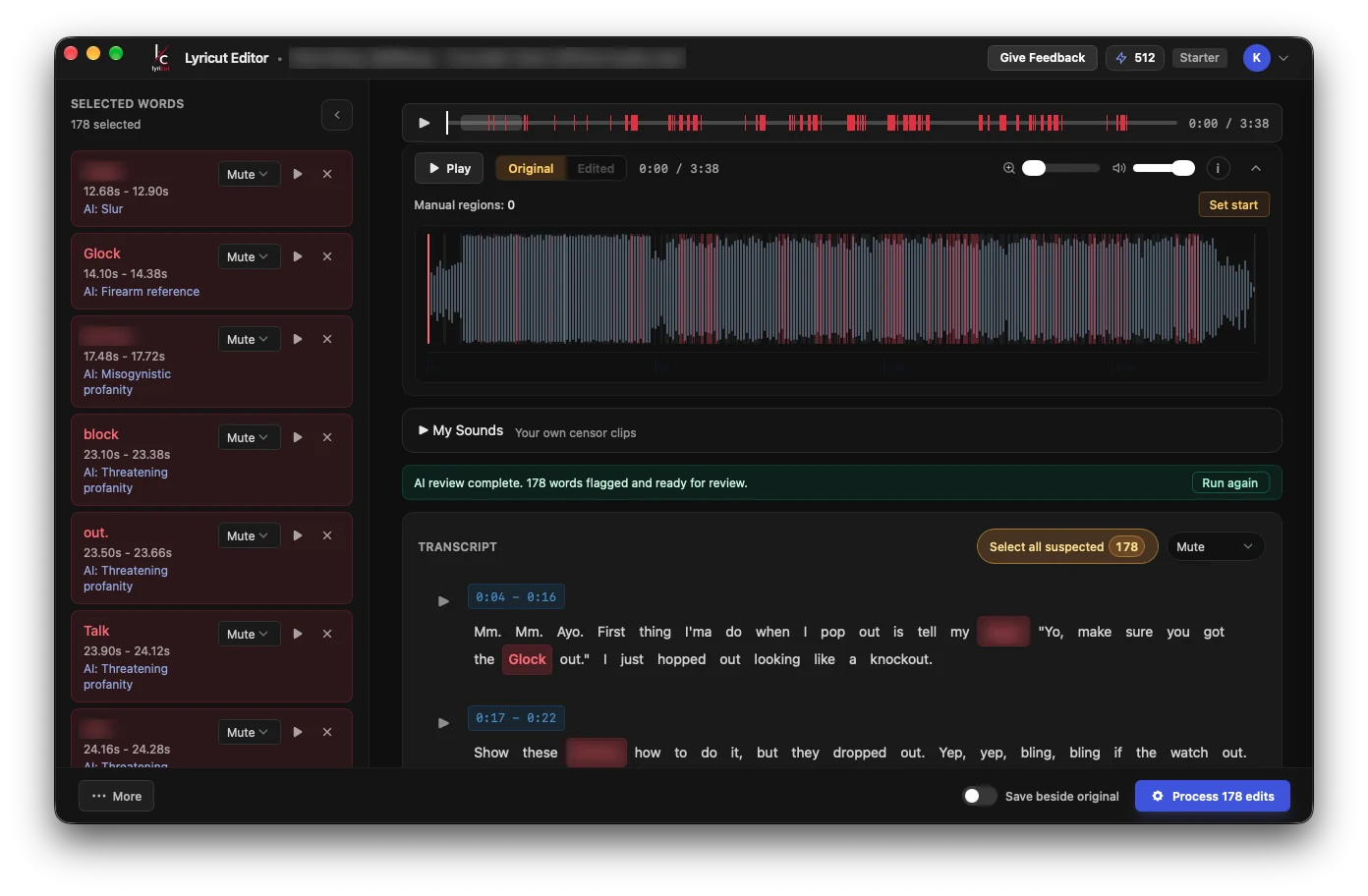
Word-level timestamps
Flagged words are mapped to the waveform and transcript. Click any word to toggle it or fine-tune a manual region.
Replacement effects
Clean tracks with mute, 1 kHz beep, vinyl scratch, reverse, white noise or Instrumental (vocals removed, beat kept), or drop in your own custom censor clip on desktop.
Metadata and batch ready
ID3 tags and album art stay intact. Clean a single track in your browser or process entire folders on macOS and Windows.
See it in action
A full walkthrough of Lyricut: the online cleaner, the desktop editor and batch cleaning.
Tools for web and desktop
Use one account across the browser cleaner, lyrics scanner, and desktop app.
Search for a song and see which words need attention before it goes on air.
Scan lyricsUpload a track, select explicit words, and download a clean edit from your browser.
Clean audioListen for explicit content in your station’s stream and manage scheduled monitoring.
Open monitoringDownload Lyricut for Windows or Mac for waveform editing and batch audio cleaning.
Get the desktop appReady to clean a track?
Start free in your browser or sign in to your account.